A GST rate changes and someone raises an invoice using the old rate. The easy but dangerous fix is to overwrite the invoice. The safer approach is to first identify the legally correct rate and then correct the document trail without breaking GSTR-1, buyer ITC or the audit history.
The Short Answer
Do not overwrite a tax document that has already entered the compliance trail. First determine the legally correct rate using time-of-supply rules, then correct the tax difference using the appropriate GST document / return mechanism and maintain a clean audit trail.
In Plain Words
The correction starts with time of supply and the legally correct tax rate, not with 'which document should I issue?'. Once the correct tax is known, the difference can be handled through the appropriate credit/debit note or return correction with a clean reference to the original invoice.
First, confirm the invoice is actually wrong
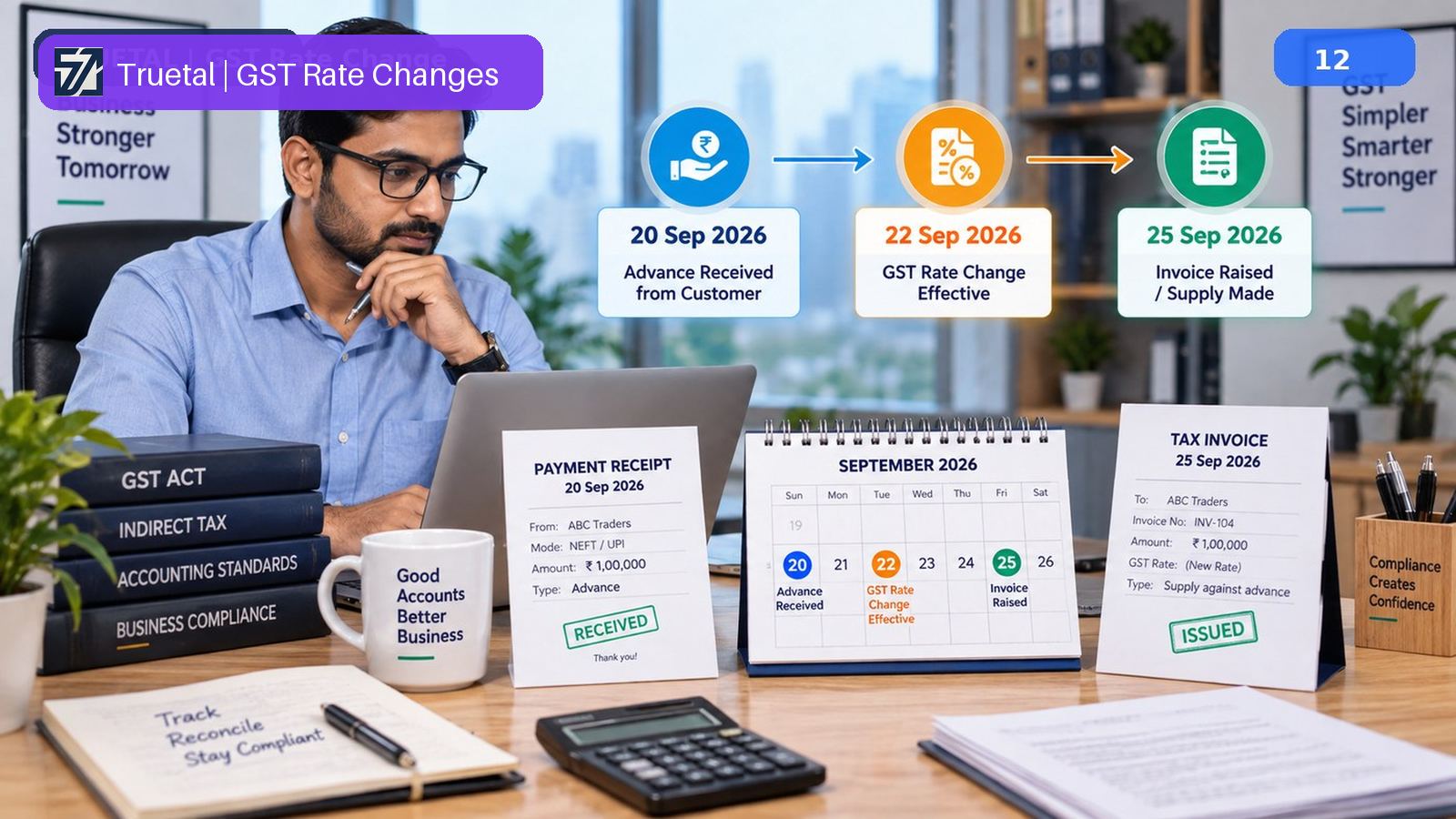
A rate notification does not automatically make every older invoice incorrect. GST depends on the applicable rate and the time of supply. If the supply legally occurred before the new rate took effect, the old rate may still be correct even if payment or delivery happened around the transition. Before changing anything, verify the exact HSN/SAC classification, the effective date in the relevant rate notification, and the time-of-supply rules — only then decide whether a correction is actually needed.
Last reviewed: 23 September 2026.
Why editing the old invoice can create reconciliation problems
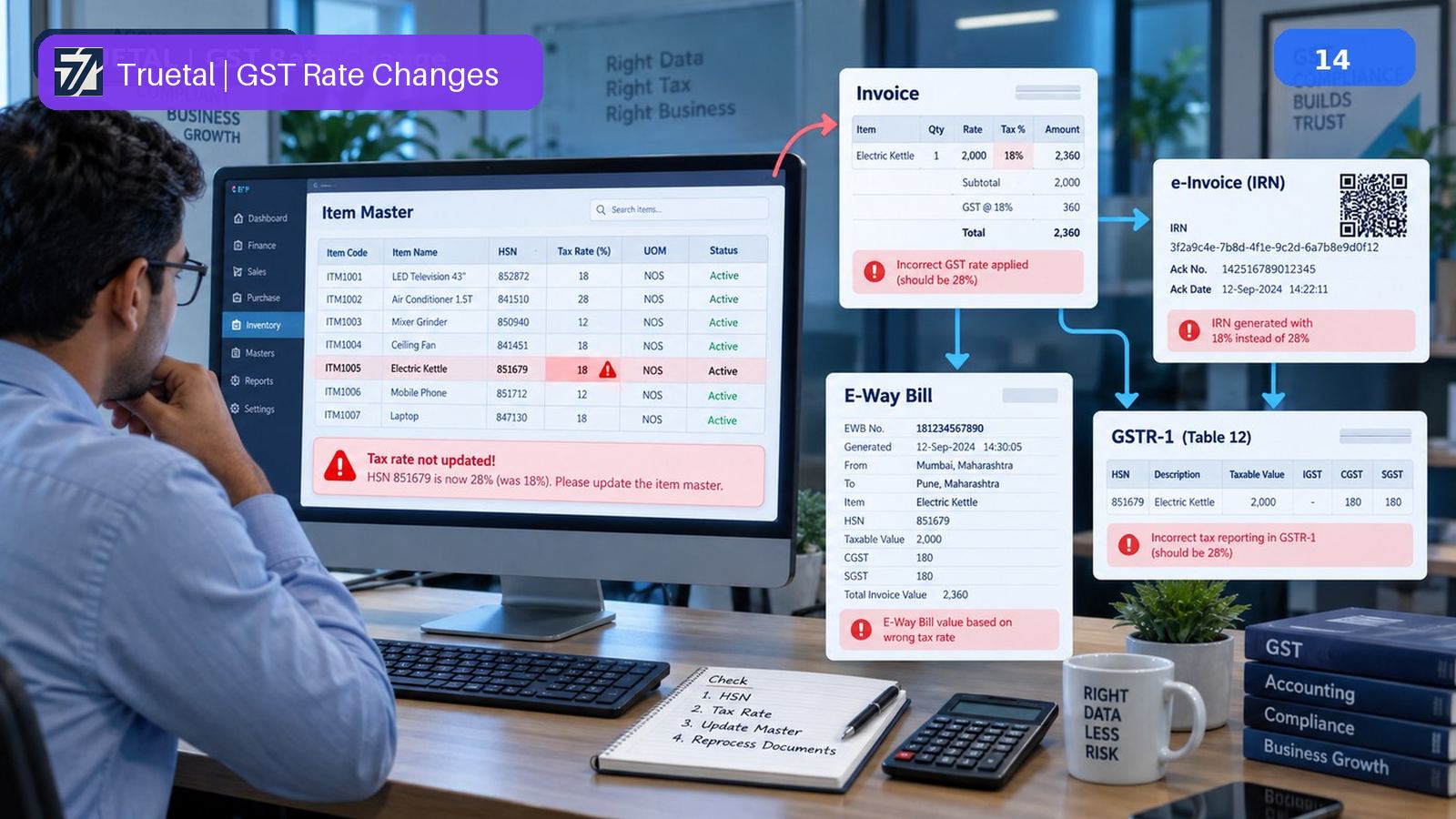
Once an invoice has been issued — and especially once it's been reported in GSTR-1 — changing the document or the accounting entry alone breaks the audit trail. Your customer may still hold the original invoice while your books and return show something different. Section 34 of the CGST Act provides the correction route for exactly this: a credit note when tax charged exceeds what was payable, a debit note when it falls short. The original invoice stays in your records; the correcting document sits alongside it.
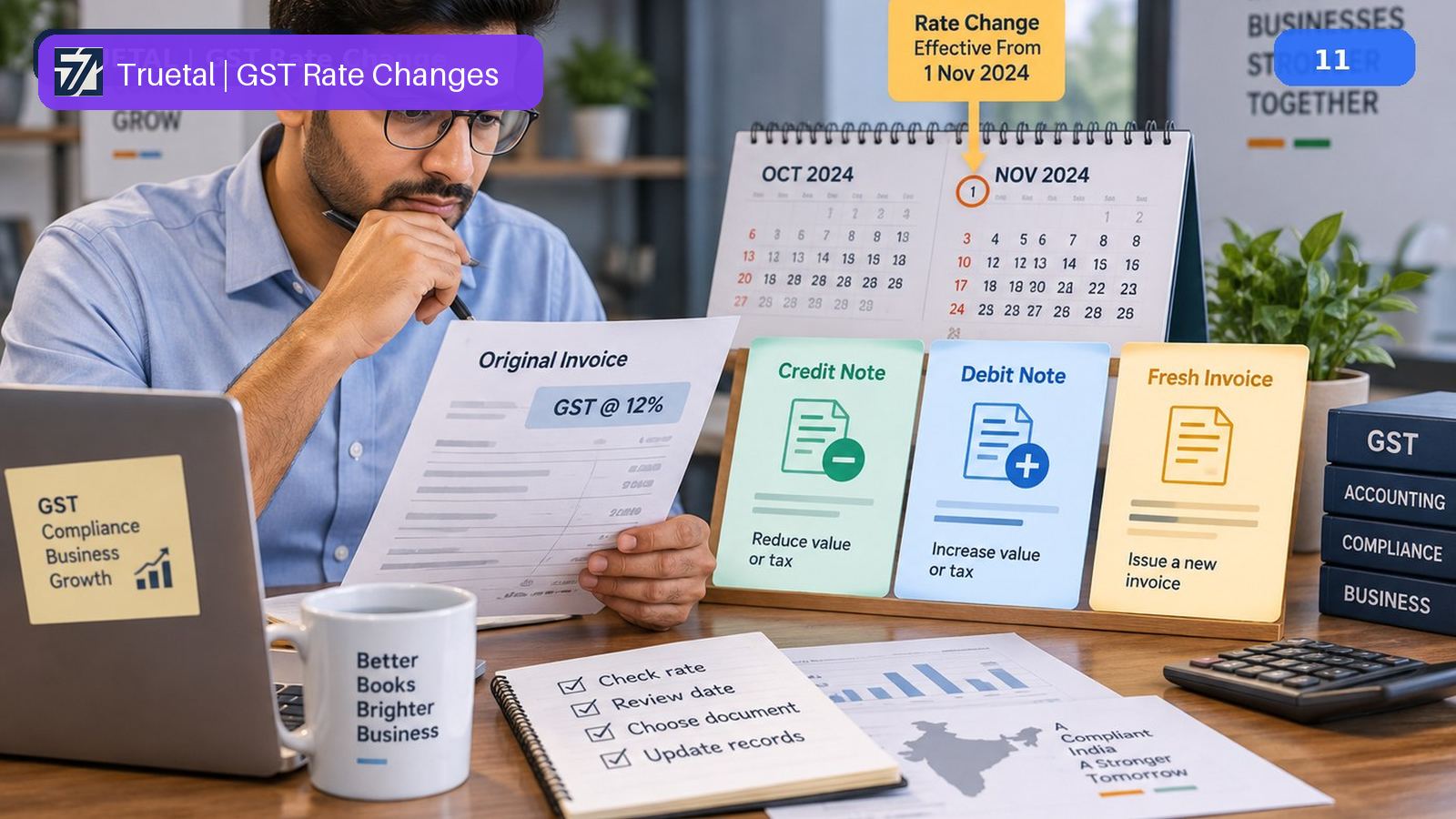
When a credit note may be required
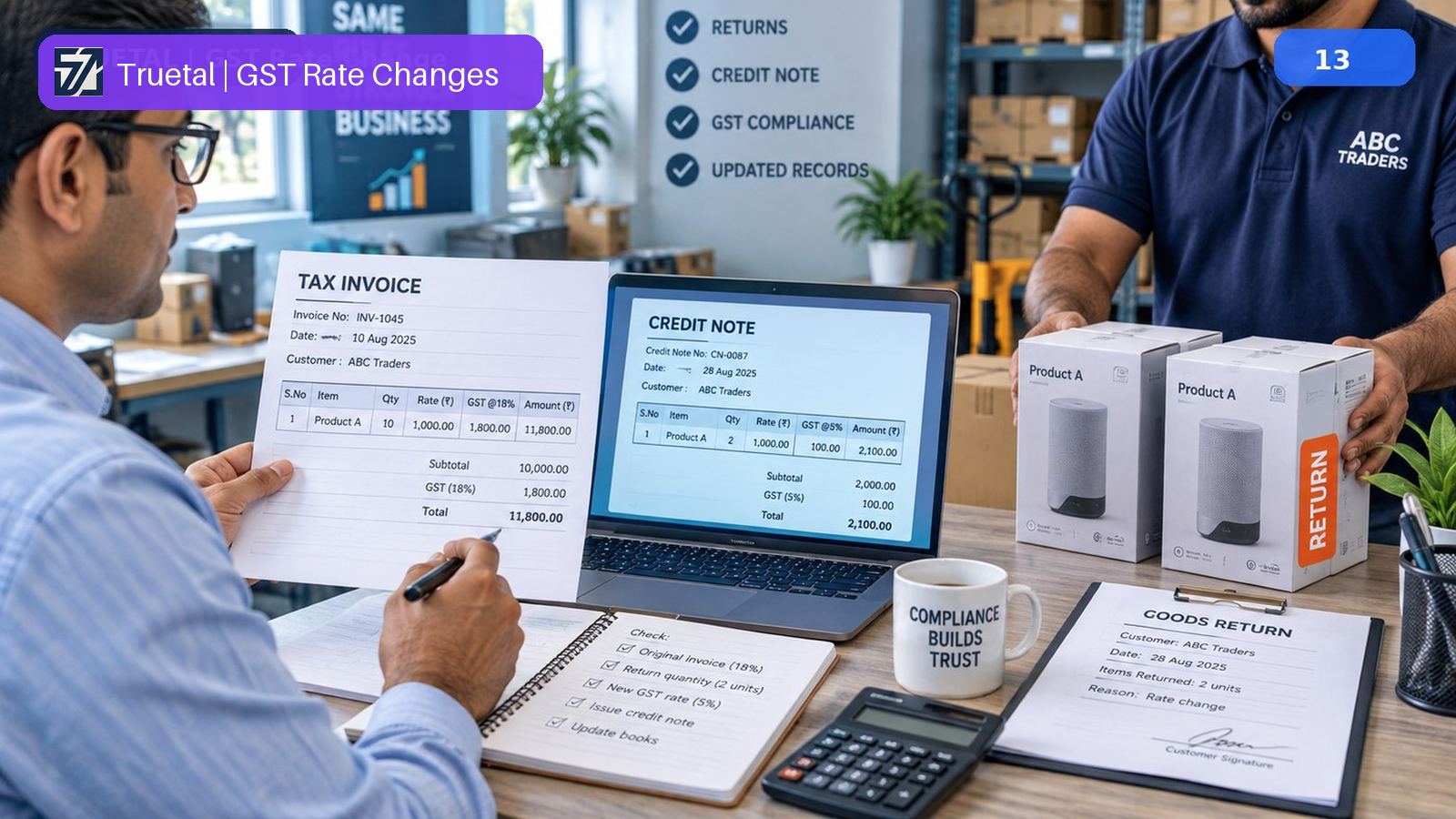
If the invoice charged GST at a rate higher than what was legally applicable for that supply's time of supply, the excess is corrected with a credit note — reducing the taxable value or tax charged, not cancelling the underlying sale.
When a debit note / additional tax may be required
If the invoice undercharged relative to the correct rate, a debit note captures the shortfall instead.
Worked example
Assume a taxable value of ₹1,00,000 was invoiced at 18%, but the legally correct rate for that supply's time of supply was 5% (illustrative figures — verify your actual applicable rate before using this pattern):
| Particular | Original invoice | Correct amount |
| Taxable value | ₹1,00,000 | ₹1,00,000 |
| GST rate | 18% | 5% |
| GST amount | ₹18,000 | ₹5,000 |
| Invoice value | ₹1,18,000 | ₹1,05,000 |
The excess tax is ₹13,000. If the underlying sale price hasn't changed, the credit note adjusts that excess rather than cancelling the ₹1,00,000 supply. For an intra-state supply, split the correction between CGST and SGST; for inter-state, correct IGST — keeping the same place-of-supply and supply-type treatment as the original transaction.
Illustrative example. Actual treatment may depend on the facts and rules applicable on the transaction date.
GSTR-1 / buyer ITC consequences
Report a credit note issued to a registered recipient in Table 9B (CDNR). The GST Portal doesn't require every note to be linked invoice-by-invoice, but keeping the original-invoice reference in your own records matters for reconciliation and audit support. Notify the customer as soon as the note is issued — a registered buyer may need to reverse or reduce related ITC, and the note should later appear in their GSTR-2B based on your reporting.
The Key Steps at a Glance
Read the four steps in order — each one depends on the one before it.
- 1First determine the legally correct rate
- 2Why editing the old invoice can create reconciliation problems
- 3When a credit note may be required
- 4When a debit note / additional tax may be required
What to do now
- Verify the effective rate and time-of-supply date before assuming any invoice is wrong.
- Preserve the original invoice; never edit it directly.
- Issue the correct credit/debit note, report it in GSTR-1, and notify the customer immediately.
Common mistakes
- Editing the PDF or accounting entry of an already-reported invoice.
- Assuming a rate notification's effective date automatically applies to every invoice around that date, without checking time of supply.
- Failing to notify the customer, leaving them claiming ITC on the original, uncorrected amount.
The Takeaway
Correct the legal tax position first, then correct the document. Never use an overwrite as a substitute for an audit trail.
How Truetal Helps
Truetal's credit note module links every correction back to its original invoice automatically, so your audit trail stays intact through the entire correction lifecycle.
Questions People Search For
- Old GST rate invoice after rate change
- GST rate change credit note
- Wrong GST rate invoice correction
GST Council press release archive; CBIC GST invoice rules. Rate applicability depends on classification, notification wording, and time of supply — verify against current law before relying on this for a specific correction.