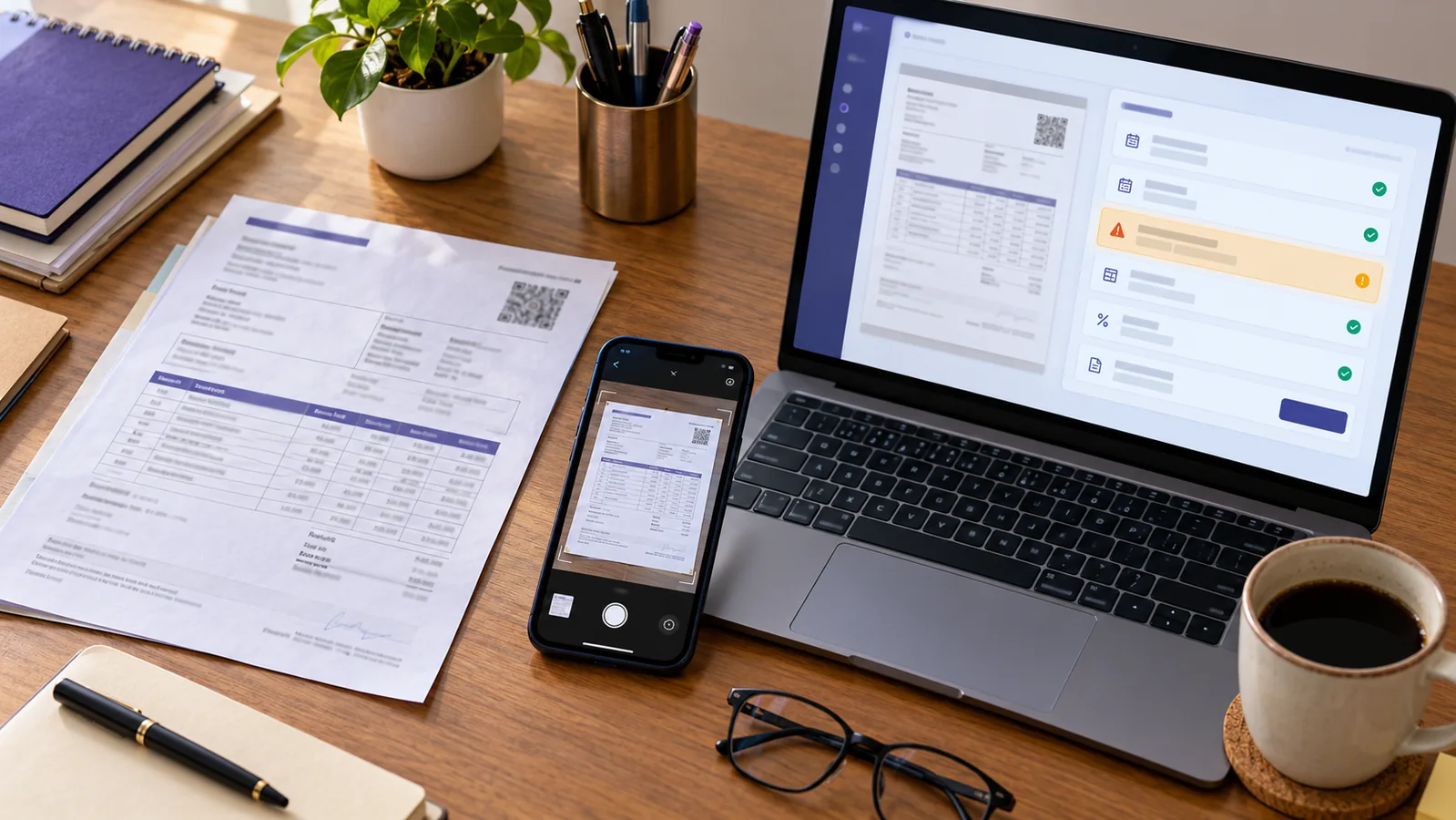
Invoice capture automation reads a supplier bill, proposes structured fields and moves the document into a controlled review queue. It should not silently turn a PDF or phone photo into a final purchase, payable or ITC claim. The reliable workflow is capture → validate → compare → review → post → reconcile.
Current-status caution, reviewed 17 October 2026: OCR and AI can misread names, invoice numbers, dates, decimals and tax splits. A technically complete tax invoice can still be duplicated, belong to another GST registration, relate to goods not received, contain blocked credit or fail another ITC condition. Keep the original file and require a person to confirm the accounting and GST treatment.
The direct answer
Good invoice capture automation removes retyping while preserving the evidence needed to challenge a wrong result. It stores the source document, extracts the supplier and invoice fields, runs deterministic checks, detects possible duplicates, exposes every low-confidence or inconsistent field, and waits for an authorised reviewer before saving the purchase.
The scan is an input, not the books. GSTR-2B or IMS is a separate source, not a replacement for the supplier document. Payment approval is another decision again.
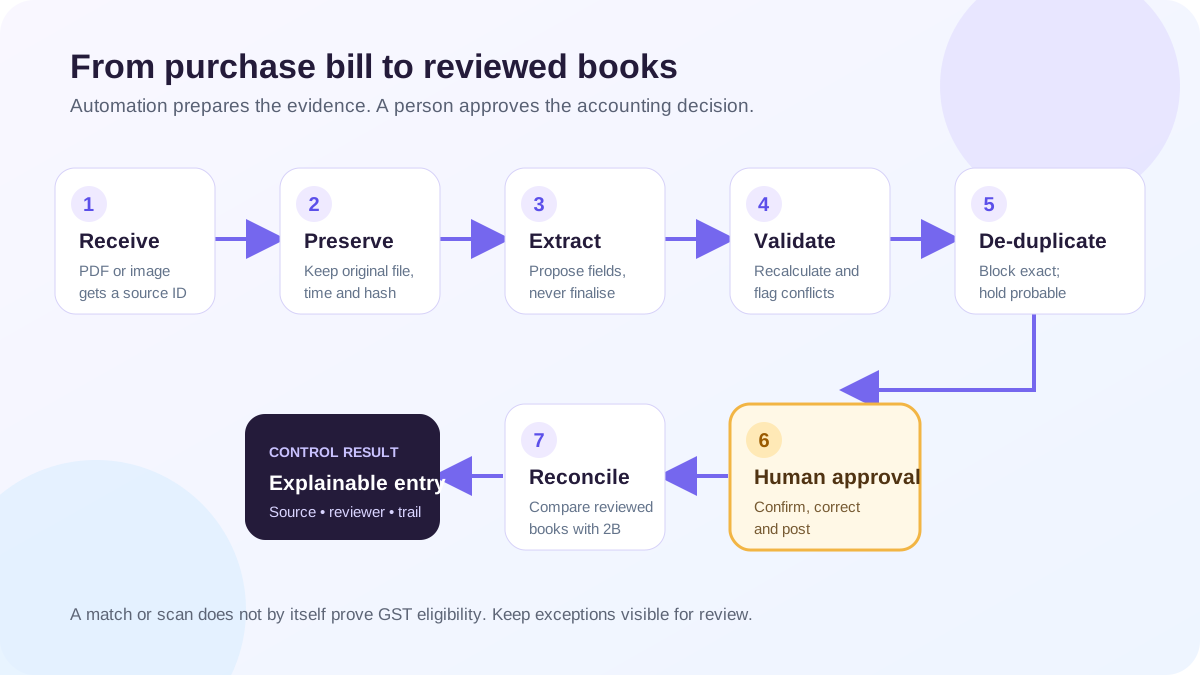
The seven-stage purchase-bill workflow
| Stage | Automation can do | Human control that remains |
| 1. Receive | Accept a PDF or image and assign a source ID | Confirm the file belongs to this business and period |
| 2. Preserve | Store the original, file name, upload time and hash | Restrict access and retain the document under the business policy |
| 3. Extract | Propose supplier, GSTIN, invoice number/date, line items, taxable value and tax | Compare unclear or material fields with the source image |
| 4. Validate | Recalculate totals, flag GSTIN/format problems and compare tax components | Decide the correct supplier, place of supply, rate and ledger treatment |
| 5. De-duplicate | Find same-file, same-number and probable amount/date matches | Confirm whether it is a duplicate, amendment or legitimate reused series |
| 6. Approve and post | Prepare a purchase entry and payable for confirmation | Approve the final entry, evidence and accounting period |
| 7. Reconcile | Compare the reviewed purchase register with uploaded GSTR-2B data | Decide follow-up, eligibility, reversal and return treatment |
Fields worth extracting—and checking
A practical capture screen should put the original bill beside the proposed data. At minimum, review:
- supplier legal or trade name and GSTIN;
- recipient name and GSTIN where shown;
- invoice type, invoice number and invoice date;
- place of supply and reverse-charge indication where applicable;
- item description, HSN/SAC where relevant, quantity and unit;
- taxable value, discount and incidental charges;
- CGST, SGST, IGST and cess rates and amounts;
- invoice total and rounding difference;
- purchase order, receipt or contract reference where the business uses one; and
- the proposed vendor, expense/asset/inventory ledger, due date and accounting period.
CBIC's invoice rules prescribe particulars for a GST tax invoice. Extraction should help surface those fields, but a green tick from OCR does not establish that the document is genuine or that every statutory condition has been satisfied.
Worked example: the decimal that changes the tax
A Maharashtra supplier bill shows office equipment with taxable value of ₹25,000, CGST of ₹2,250 and SGST of ₹2,250, giving a total of ₹29,500. The image is slightly blurred and the capture engine proposes CGST of ₹2,250 but SGST of ₹225.
The arithmetic check catches the problem:
| Captured field | Proposed | Source / expected | Review result |
| Taxable value | ₹25,000 | ₹25,000 | Confirm |
| CGST | ₹2,250 | ₹2,250 | Confirm |
| SGST | ₹225 | ₹2,250 | Correct before posting |
| Total | ₹29,500 | ₹29,500 | Does not agree with proposed components |
The mismatch is useful precisely because the system does not force its fields to equal the printed total. The reviewer checks the source, corrects SGST, chooses the appropriate equipment or asset treatment, and then saves the entry. Whether the tax is eligible for ITC remains a separate legal review based on use, receipt, document, supplier reporting and other applicable conditions.
Three controls that prevent the most expensive errors
1. Keep source and proposal visibly separate
Never overwrite the uploaded file with cleaned text. Preserve the original and display extracted values as a proposal. A reviewer should be able to move from any posted field back to the source document.
2. Block exact duplicates and hold probable ones
Use more than supplier name and total. Compare file hash, supplier GSTIN, normalised invoice number, invoice date and gross amount. An exact duplicate can be blocked; a probable match should be held for confirmation because suppliers can reuse number patterns across financial years.
3. Make approval explicit
“Scan completed” must not mean “entry posted”. Record who confirmed the data, when it was confirmed and what changed after extraction. If the business is a company subject to accounting-software audit-trail requirements, its wider accounting environment and edit-log controls also need specific review.
OCR, rules and AI have different jobs
OCR converts pixels into characters. Deterministic rules recalculate amounts, validate formats and compare exact keys. AI can propose a supplier, ledger or likely exception from less structured context. Combining the three is useful, but confidence is not evidence.
Use a simple control policy:
- exact arithmetic and required-field failures cannot be waived silently;
- low-confidence or conflicting fields always enter review;
- a new supplier or changed bank detail needs independent confirmation;
- ledger and tax suggestions remain unposted until approved;
- overrides retain the earlier value, reviewer and reason; and
- periodic samples compare captured fields with originals to measure error rates.
Where GSTR-2B and IMS fit
Capture answers “what does the supplier document say?” GSTR-2B and IMS answer different questions about what the supplier reported and how recipient actions affect the GST workflow. Compare the reviewed purchase register with the relevant portal data at document level.
An invoice present only in the books may require supplier follow-up. A record present only in GSTR-2B may indicate a missing purchase, the wrong recipient, a timing issue or another exception. A match still does not decide blocked credit, business use, receipt or every other eligibility condition.
Checklist: how to evaluate an invoice-capture tool
Ask the vendor to demonstrate difficult documents, not only a perfect digital PDF:
- a tilted phone photo with a faint decimal point;
- a multi-page bill with freight or discount on the last page;
- an invoice whose number resembles an earlier financial year;
- CGST/SGST and IGST examples;
- a credit note or reverse-charge indicator;
- an amount that does not add up; and
- a duplicate upload of the same file under a different name.
Then inspect the review screen, rejection path, change history, export, access controls and the connection between source document, purchase register, payable, payment and reconciliation. Fast extraction without exception handling only moves manual work to a later month.
How Truetal helps
Truetal Pro can read an uploaded supplier invoice and show the extracted invoice, supplier and amount fields for review before anything is saved to the Purchase Register. After the authorised user confirms those visible fields, the saved purchase can participate in the existing accounting and uploaded GSTR-2B reconciliation workflows. The scan-review screen does not expose every GST-treatment decision: place of supply, reverse charge, purchase type and ITC eligibility still need separate review in the purchase and reconciliation workflow.
The scanner does not independently prove ITC eligibility, does not fetch every supplier bill from the GST Portal automatically, and does not directly file GST returns. File quality, unusual layouts and handwritten or ambiguous values can still require manual entry.
FAQ
Is invoice OCR the same as automated accounting?
No. OCR reads characters from a document. Accounting also requires validation, classification, duplicate control, approval, posting and reconciliation. A reliable workflow keeps those stages separate.
Can an invoice scanner decide whether GST ITC is eligible?
No. It can extract tax fields and flag document issues, but ITC depends on the applicable law and transaction facts, including conditions that the image alone cannot prove.
Which invoice fields should always be reviewed?
Review supplier and recipient identity, GSTIN, invoice number and date, item/taxable values, tax split, total, place of supply and the proposed ledger. Material or low-confidence fields should receive explicit confirmation.
Do I need a purchase order for invoice capture?
Not every purchase uses a PO. Where the business does use one, comparing the invoice with the approved order and receipt evidence is a valuable control. Services may use a contract, milestone or service-entry approval instead.
How does automation prevent duplicate purchase bills?
It should combine exact file hashes with supplier GSTIN, normalised invoice number, date and amount checks. Probable matches need human review because similar documents are not always duplicates.
The takeaway
Automate the typing, calculations and search for anomalies. Keep identity, classification, exceptions, approval, posting and ITC decisions visible to a responsible person. The best invoice-capture workflow is not the one that claims every bill was automatic; it is the one that makes every saved purchase explainable.