You create a GST invoice without any trouble. The customer pays partly. A purchase bill arrives. Your bank statement has a receipt that does not clearly mention the invoice number. At month-end, your accountant asks for the purchase register, outstanding list, stock position and GST data. If those records sit in separate apps and spreadsheets, the invoice was the easy part.
That is the real question behind “Which is the best GST accounting software?” You are not choosing an invoice template. You are choosing how sales, purchases, payments, bank entries, stock, GST records and financial reports will stay connected after hundreds or thousands of transactions.
The Short Answer
The best GST accounting software is the one that matches your actual transaction flow, keeps accounting entries traceable, supports the GST work your business genuinely needs and remains understandable to both the owner and the accountant. There is no universal winner for every Indian small business.
Different businesses value different features. Before comparing brands, compare the complete workflow: invoice → ledger → payment → bank → GST record → inventory, where relevant → Trial Balance, Profit & Loss and Balance Sheet.
In Plain Words
GST billing software and accounting software are not always the same thing. A billing tool may create a professional GST invoice, calculate CGST/SGST/IGST and track whether the bill is paid. A full accounting system should also preserve the double-entry impact, purchases, receivables and payables, bank activity, expenses, ledgers and financial statements.
Current products illustrate these different strengths. TallyPrime documents accounting, inventory, banking, receivables/payables and financial reports such as Trial Balance, P&L and Balance Sheet. Zoho Books documents cloud accounting, GST workflows, bank reconciliation, inventory, payment reminders and financial reporting. BUSY positions itself around GST accounting, inventory, reconciliation, e-invoicing/e-way bills and books of accounts. Vyapar documents GST billing, bookkeeping, inventory, payment tracking and financial reports. These are vendor-stated capabilities, not a ranking. Always check the current plan and edition before buying.
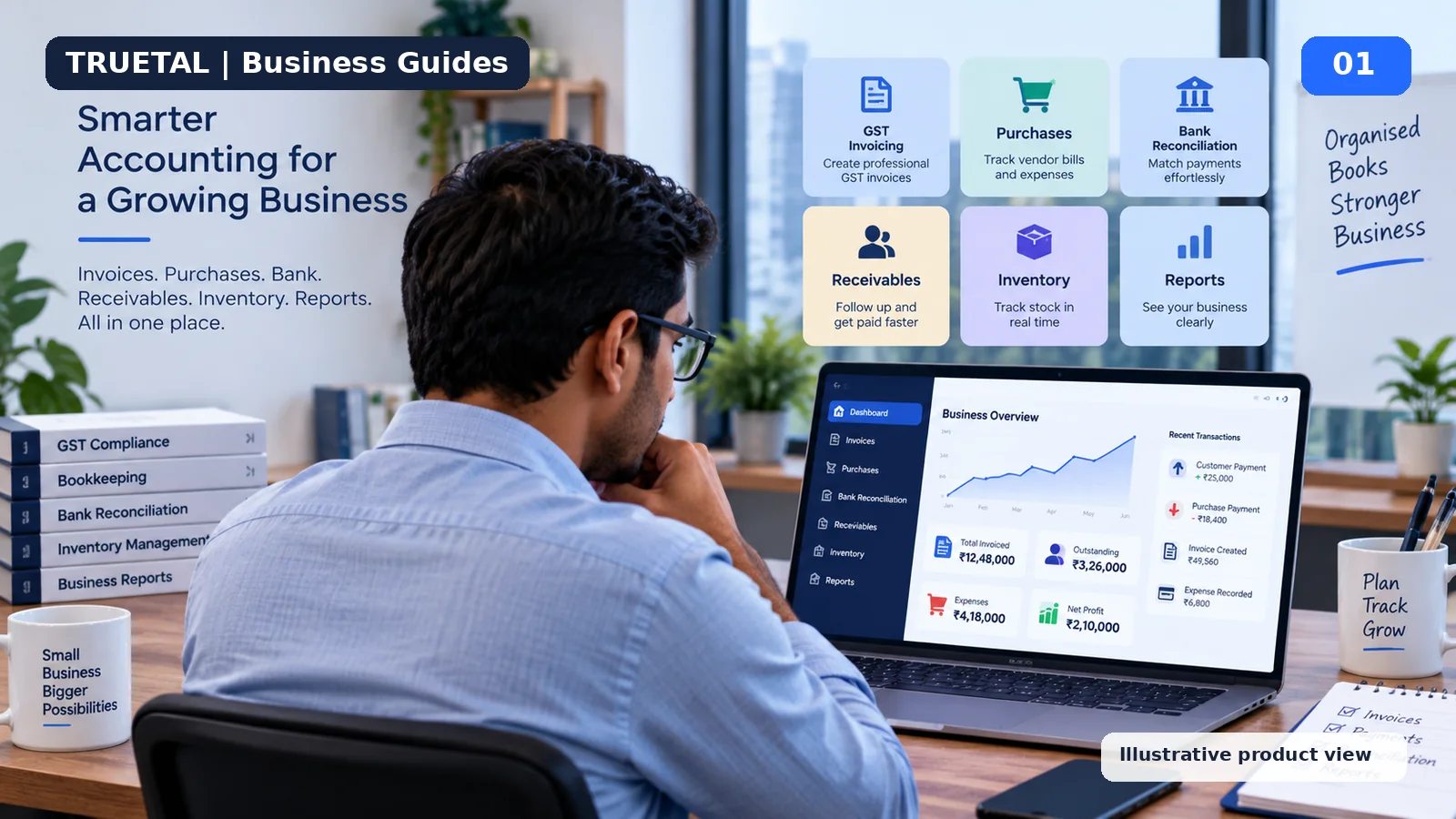
Truetal should be compared in the same practical way: against the workflows that are actually live today. Its current public product architecture covers Invoice Creation, Payment Follow-up, Purchases, Bank Reconciliation, Inventory, and Accounting & Reports, with GST-related workflows alongside them. Direct GSP filing and automated filing-history integration are not live and should not be described as live.
Why This Problem Happens
The wrong software decision usually starts with the wrong demo. A salesperson shows how quickly an invoice can be created, and that feels like the whole problem has been solved. But the finance work starts after the invoice.
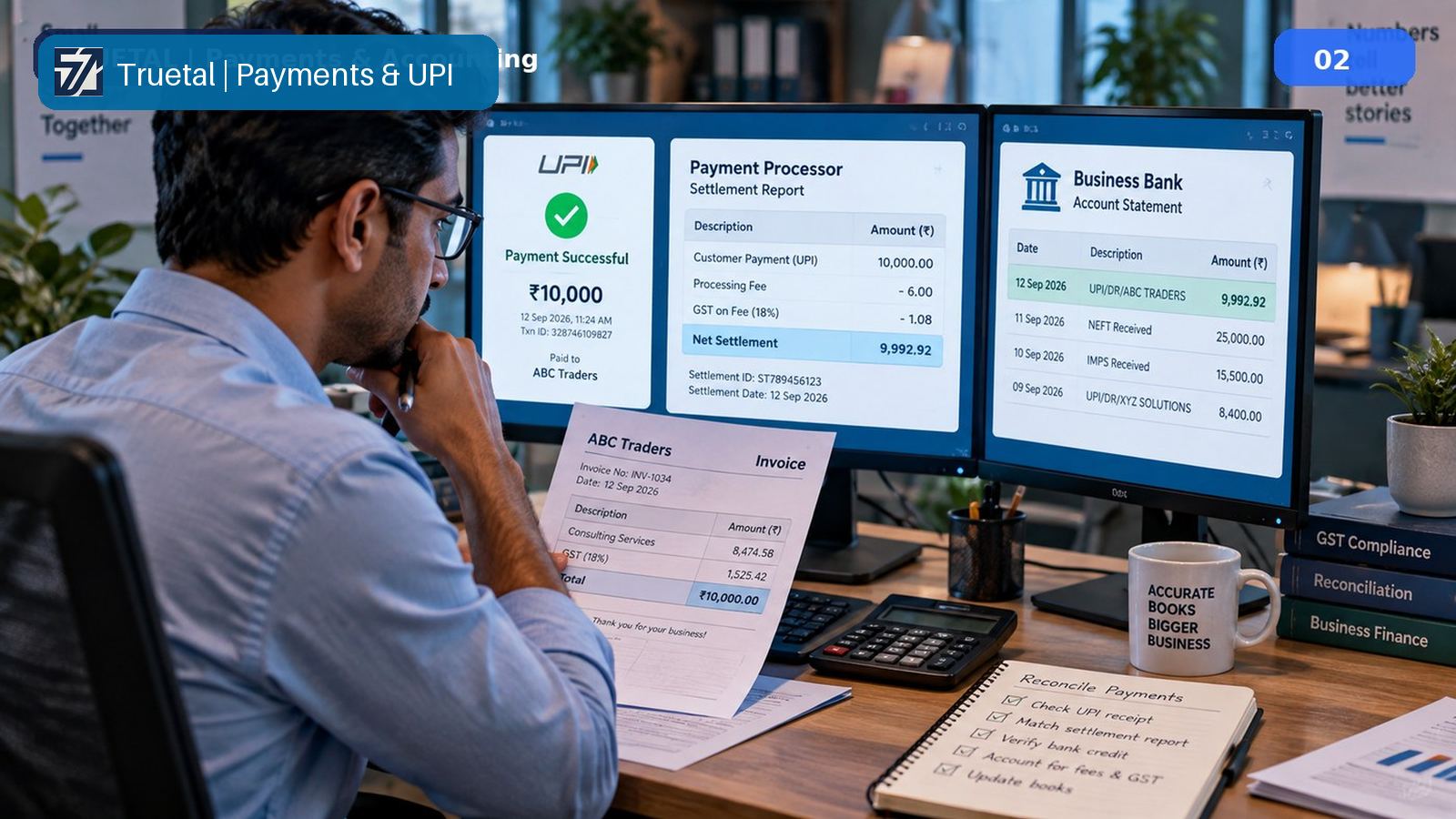
Suppose the customer pays only ₹70,000 against a ₹1,18,000 invoice. Can the system keep ₹48,000 outstanding without closing the invoice? Can the receipt be matched to the correct bank line later? If a payment gateway deducts a fee, can the software preserve gross revenue and explain the lower bank credit? If a purchase invoice appears in GSTR-2B but not in your books, can your team find the gap without changing GST data blindly?
Those are more useful buying questions than “Does it have GST billing?”
Another reason is that business owners and accountants often judge software differently. The owner wants quick invoicing, collection visibility and simple reports. The accountant wants ledgers, journals, reconciliations, period controls and a clear audit trail. Good software has to make both views come from the same underlying transactions.
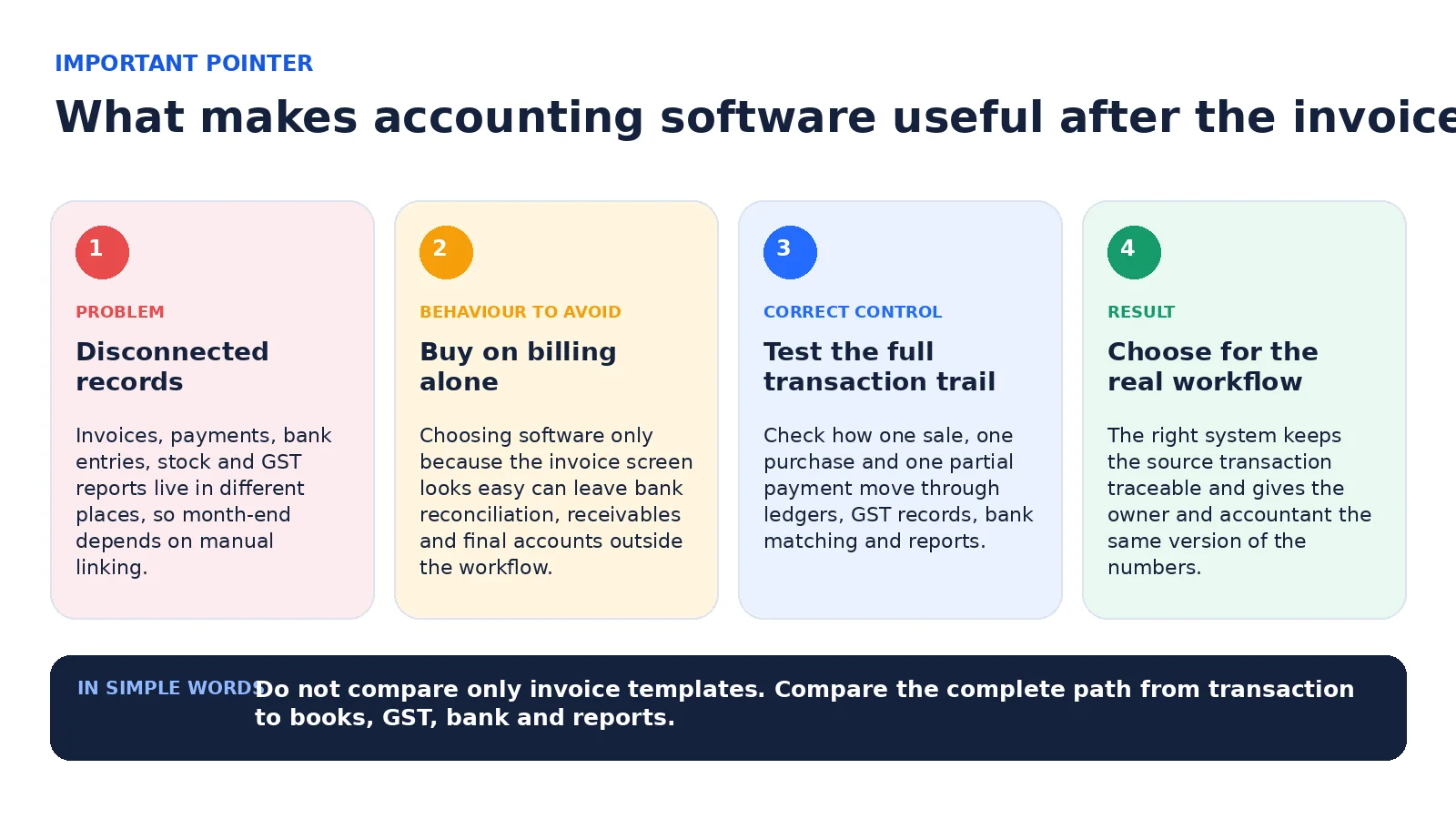
Problem → Risky Behaviour → Correct Control → Result
The problem is disconnected records. The risky behaviour is selecting software only on the basis of price, invoice design or one impressive feature. The correct control is to test a complete transaction from source document to final reporting before you subscribe. The result should be one traceable set of books rather than several files that need to be stitched together every month.
Use three test transactions during a trial or demo:
- A GST sale invoice with a partial payment.
- A purchase bill that affects a supplier ledger and, where applicable, inventory.
- A bank transaction that needs matching or classification.
Then check whether the same transactions can be traced into the customer/vendor ledger, outstanding report, GST records and financial statements.
Worked Example
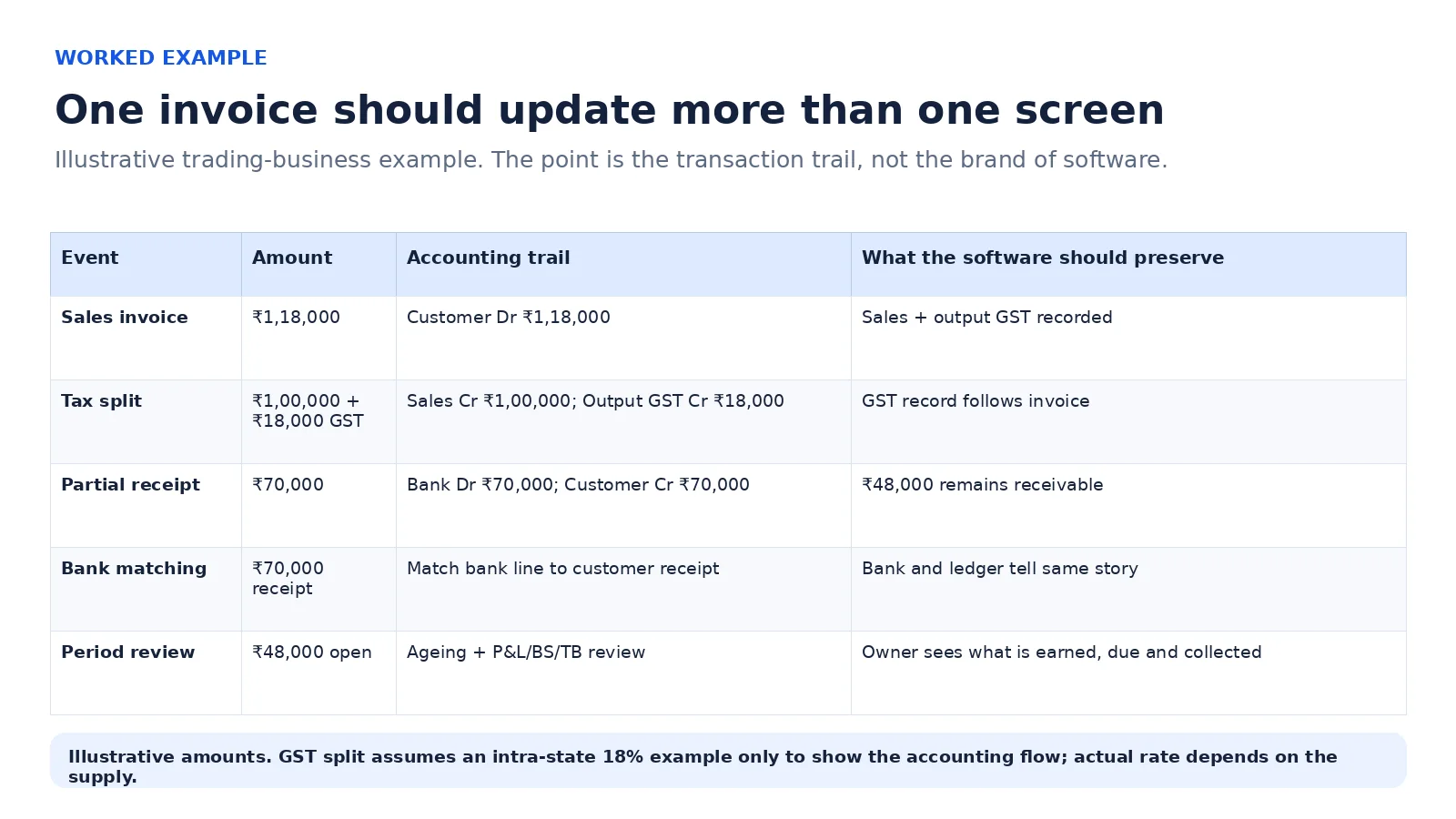
Consider an illustrative Maharashtra trading business that raises an intra-state invoice for ₹1,18,000: taxable value ₹1,00,000 plus ₹9,000 CGST and ₹9,000 SGST. Assume the 18% rate only for this illustration; the actual GST rate depends on the goods or services supplied.
When the invoice is recorded, the accounting entry should balance:
| Account | Debit | Credit |
| Customer | ₹1,18,000 | — |
| Sales | — | ₹1,00,000 |
| Output CGST | — | ₹9,000 |
| Output SGST | — | ₹9,000 |
| Total | ₹1,18,000 | ₹1,18,000 |
The customer then pays ₹70,000.
| Account | Debit | Credit |
| Bank | ₹70,000 | — |
| Customer | — | ₹70,000 |
| Total | ₹70,000 | ₹70,000 |
The invoice is not “paid”. The customer ledger should still show ₹48,000 outstanding. The bank receipt should be traceable to the payment entry. The invoice remains the source for the sales and output-tax entry; the bank receipt is evidence of collection. They are related records, not the same event.
If your software can show that trail without manually rebuilding it in Excel, it is solving an accounting problem, not only a billing problem.
Accounting and GST Treatment
Accounting software should preserve the transaction trail before it tries to automate it. A sales invoice creates revenue, tax and receivable entries according to the transaction. A later receipt reduces the receivable and increases bank or cash. A credit note, purchase return, bank charge or discount should have its own treatment rather than being hidden by editing the original invoice after the fact.
GST adds a second layer. Your software needs correct GSTIN, place-of-supply logic, tax rates, HSN/SAC data where applicable, and return-ready records. Some businesses also need e-invoicing or e-way bill workflows. E-invoicing currently applies to notified taxpayers based on aggregate turnover criteria; the official IRP states the present threshold as exceeding ₹5 crore, tested against preceding financial years from FY 2017-18 onward, subject to notified exemptions.
That does not mean every small business needs every GST feature on day one. Buy for the compliance obligations you have, plus the operational controls you are likely to need as transaction volume grows.
The Four Steps at a Glance
1. Map your transactions. List how you sell, buy, collect, pay, move stock and close books. Do this before opening any pricing page.
2. Compare verified capabilities. Check the current official product documentation and the exact plan you are considering. Do not rely on an old comparison table or a sales screenshot.
3. Test exceptions, not the happy path. Try partial payments, one payment against several invoices, credit notes, bank charges, returns and a purchase/GST mismatch. These expose the real accounting quality.
4. Check the exit route. Confirm data export, reports, user access and how you will move historical balances if you later change systems.
Exceptions and Edge Cases
A very small service business may reasonably choose a lighter system. If you issue only a few invoices, have no inventory and let an external accountant maintain the final books, a large accounting package may add more complexity than value.
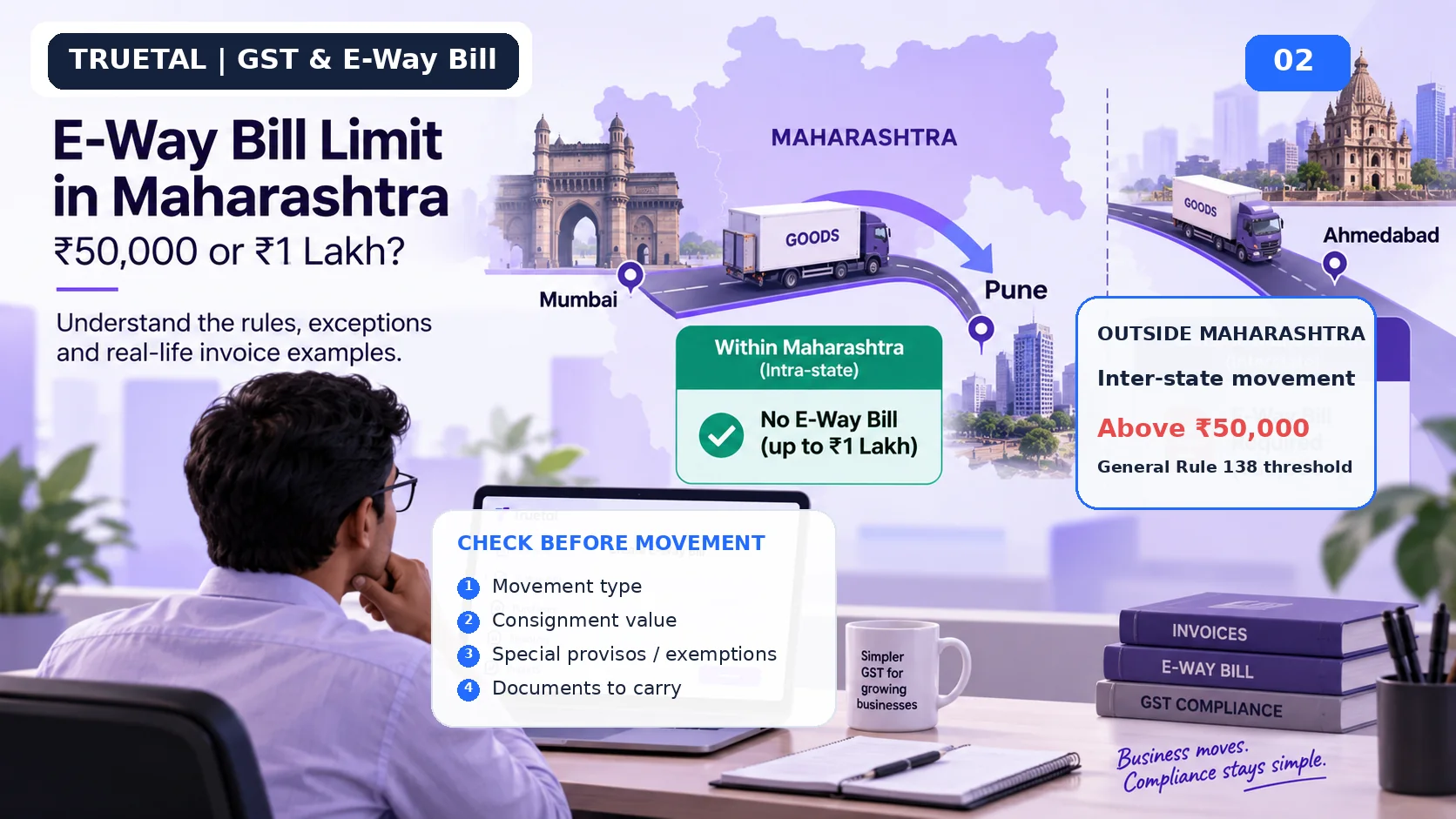
A trader or distributor may need stock by item, godown, batch or serial number. A service company may care more about advances, projects, expenses and receivables. A multi-GSTIN business needs stronger registration-wise controls. A business subject to e-invoicing needs a verified IRP workflow. A business moving goods needs e-way bill logic that respects both central rules and state-specific exemptions.
Cloud versus desktop is not a simple “new is better” question. Check access, backups, integrations and data ownership in the exact product you are considering.
What to Do Now
Before buying accounting software, write down ten real tasks your team performs every month. Include at least one task from each area that matters to you: sales, purchases, collections, bank, GST, stock and final reports.
During the demo, ask the vendor to perform those tasks with sample transactions. Do not accept “yes, we have that feature” as the entire answer. Watch how the transaction flows.
Also confirm:
- whether the quoted price includes the users, devices or GST features you need;
- whether bank reconciliation is real transaction matching or only a downloadable format;
- whether partial payments remain linked to the correct invoice;
- whether purchase and sales entries feed the ledgers and reports you will actually use;
- whether inventory moves at the right operational event for your business;
- whether you can export your data in usable form; and
- what support is available when GST rules or your workflow change.
Common Mistakes
Buying only on annual price. A low subscription is expensive if the accountant spends hours rebuilding missing schedules every month.
Treating GST reports as complete accounting. A GSTR report can be correct while your receivables, bank or expense classification still needs work.
Assuming every “automation” is automatic. Ask what triggers the action, what data it uses, what requires human approval and how corrections are logged.
Ignoring bank reconciliation. The bank is one of the strongest independent pieces of evidence for receipts and payments. Your software should help explain differences rather than encourage forced matching.
Not testing partial payments and returns. These are ordinary business events, not rare exceptions.
Trusting old feature comparisons. Product features and plans change. Verify on the vendor’s current official pages before deciding.
How Truetal Helps
Truetal is built around connected business records rather than invoice creation alone: invoice creation, payment follow-up, purchases, bank reconciliation, inventory, and accounting and reports. That makes it relevant when you want to follow a transaction beyond the invoice.
To be clear about limits: Truetal does not file GST returns through a GSP, keep an automated filing history, or generate e-way bills today.
For a business evaluating Truetal, the practical test is the same as for any other product: create a sample invoice, record a partial payment, review the outstanding amount, inspect the accounting impact, and test the bank-reconciliation workflow with your own type of data.
FAQ
Is GST billing software the same as accounting software?
No. GST billing software may focus mainly on invoices, tax calculation and GST reports. Full accounting software should also maintain ledgers, journals, receivables/payables, bank records and financial statements. Some products do both, so check the exact feature set rather than the label.
Which accounting software is best for a very small business in India?
There is no single best product for every small business. A service freelancer may value simple invoicing and expense tracking, while a trader may require inventory, purchases and stock controls. Choose the smallest system that can correctly handle your current workflow without forcing important records into separate spreadsheets.
Should I choose TallyPrime, Zoho Books, BUSY, Vyapar or Truetal?
Compare them against your requirements rather than using a universal ranking. Official product documentation shows different strengths and deployment models. Test invoicing, purchases, bank reconciliation, partial payments, inventory and final reports using the plan you would actually buy.
Do I need e-invoicing in my accounting software?
Only if e-invoicing applies to your business or is likely to apply soon. The current notified threshold is exceeding ₹5 crore based on aggregate turnover conditions from preceding financial years, subject to exemptions. Verify your applicability on the official IRP before treating the feature as mandatory.
Is bank reconciliation necessary for a small business?
If your business uses a bank account for collections or payments, reconciliation is a valuable control. It helps identify missing entries, duplicate entries, bank charges and receipts that have not been linked to the correct customer or invoice.
Can I move from Excel to accounting software without importing every old transaction?
Possibly. Some businesses migrate opening balances and open invoices at a chosen cut-off date rather than importing years of transaction history. The right approach depends on audit, tax and reporting needs, so agree the migration method with your accountant before changing systems.
The Takeaway
Choose GST accounting software by following one transaction all the way through your business. If the invoice, payment, bank line, GST record, stock effect and financial reports remain connected and explainable, the software is doing meaningful accounting work.
Do not buy a “winner”. Buy the system that fits your transactions, your team and the controls you actually need.
Related Reading
- Customer Paid by UPI but Bank Credited Less: Accounting and GST Reconciliation
- E-Way Bill Limit in Maharashtra: ₹50,000 or ₹1 Lakh?
- GSTR-2B vs Purchase Register: 10 Mismatches and What to Do
- Explore Truetal products
- View Truetal pricing