
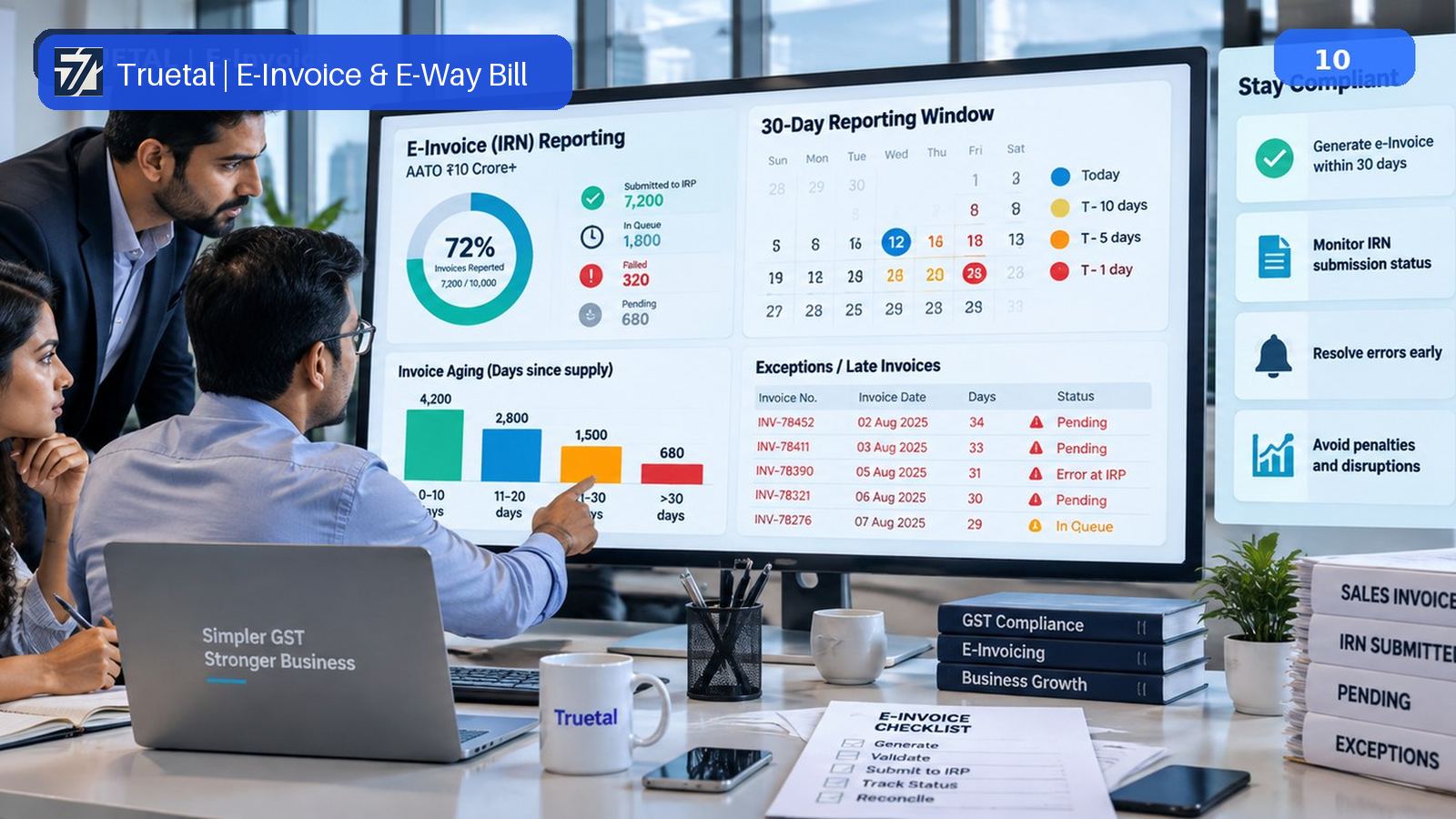
Late e-invoice reporting is not only a tax-team problem; it is an ERP-control problem. If the system waits until the last day, users discover the restriction only when IRN generation fails. A better design warns long before the deadline becomes a hard stop.
The Short Answer
For taxpayers covered by the reporting restriction, build a pre-submit aging check. The system should calculate invoice age, warn early, block submissions that breach the rule, and produce a daily exception list of unregistered B2B / export documents.
In Plain Words
The system should calculate document age automatically and create warning buckets before the reporting restriction bites. Finance should see unregistered B2B/export invoices, credit notes and debit notes in one exception dashboard instead of finding them only during filing.
Who the 30-day reporting restriction applies to
This restriction applies to taxpayers whose Aggregate Annual Turnover (AATO) crosses the ₹10 crore threshold, per the e-invoice portal's notified time limit. If you're covered, every relevant document — invoices, credit notes, and debit notes — must be reported to the IRP within 30 days of its own document date.
How invoice age should be calculated
Age should be calculated from the document's own date (the date printed on the invoice), not the date someone gets around to processing it. A document dated the 1st of the month that sits unprocessed until the 25th already has only 5 days of runway left, not a fresh 30.
ERP control: T-10, T-5 and T-1 alerts
Build a tiered alert system rather than a single deadline check:
- T-10 days: an early, low-urgency notification to whoever processes e-invoicing that a batch of documents is approaching its window.
- T-5 days: an escalation — this should reach a supervisor, not just the original processor.
- T-1 day: a final, hard-to-ignore warning that reporting must happen today or the document becomes permanently unreportable.
Include invoices, credit notes and debit notes
The 30-day rule doesn't only apply to sales invoices — credit notes and debit notes carry their own document dates and their own 30-day clocks. A credit note issued against an old invoice still has to be reported within 30 days of the credit note's own date, not the original invoice's date.
Month-end exception dashboard
At month-end, run a report of every document approaching or past its 30-day window, so nothing falls through simply because it wasn't caught by the day-level alerts.
What to do when a document is already outside the reporting window
If a document has already aged past 30 days, it cannot be reported to the IRP — full stop. There is no retroactive reporting mechanism. At that point, the priority shifts to understanding the downstream compliance impact (this document's GST treatment without a valid IRN) and fixing the process gap that let it age out, so it doesn't happen again.
Worked example
An invoice dated 1 September has a hard reporting deadline of 1 October (30 days). A T-10 alert fires around 21 September, a T-5 escalation around 26 September, and a T-1 final warning on 30 September — giving three separate chances to catch it before the window genuinely closes.
Illustrative example. Actual treatment may depend on the facts and rules applicable on the transaction date.
The Key Steps at a Glance
Read the four steps in order — each one depends on the one before it.
- 1Who the 30-day reporting restriction applies to
- 2How invoice age should be calculated
- 3ERP control: T-10, T-5 and T-1 alerts
- 4Include invoices, credit notes and debit notes
What to do now
- Confirm whether your business is currently above the ₹10 crore AATO threshold that triggers this rule.
- Build the T-10/T-5/T-1 alert tiers around each document's own date field, not a processing date.
- Include credit and debit notes in the same aging check as invoices.
Common mistakes
- Calculating age from when a document was processed instead of its own document date.
- Only tracking sales invoices and missing credit/debit note aging entirely.
- Having no escalation path, so a single missed alert means a permanently unreportable document.
The Takeaway
A good ERP should make a late IRN difficult to create, not merely report the failure after it happens.
How Truetal Helps
Truetal's e-invoice queue shows a live age indicator on every unreported document and escalates automatically as the 30-day window closes.
Questions People Search For
- 30 day e invoice reporting 10 crore
- E invoice 30 days rule
- IRN generation older invoice
e-Invoice portal's revised time-limit notice. Confirm your business's current AATO status directly, since the threshold determines whether this rule applies to you at all.