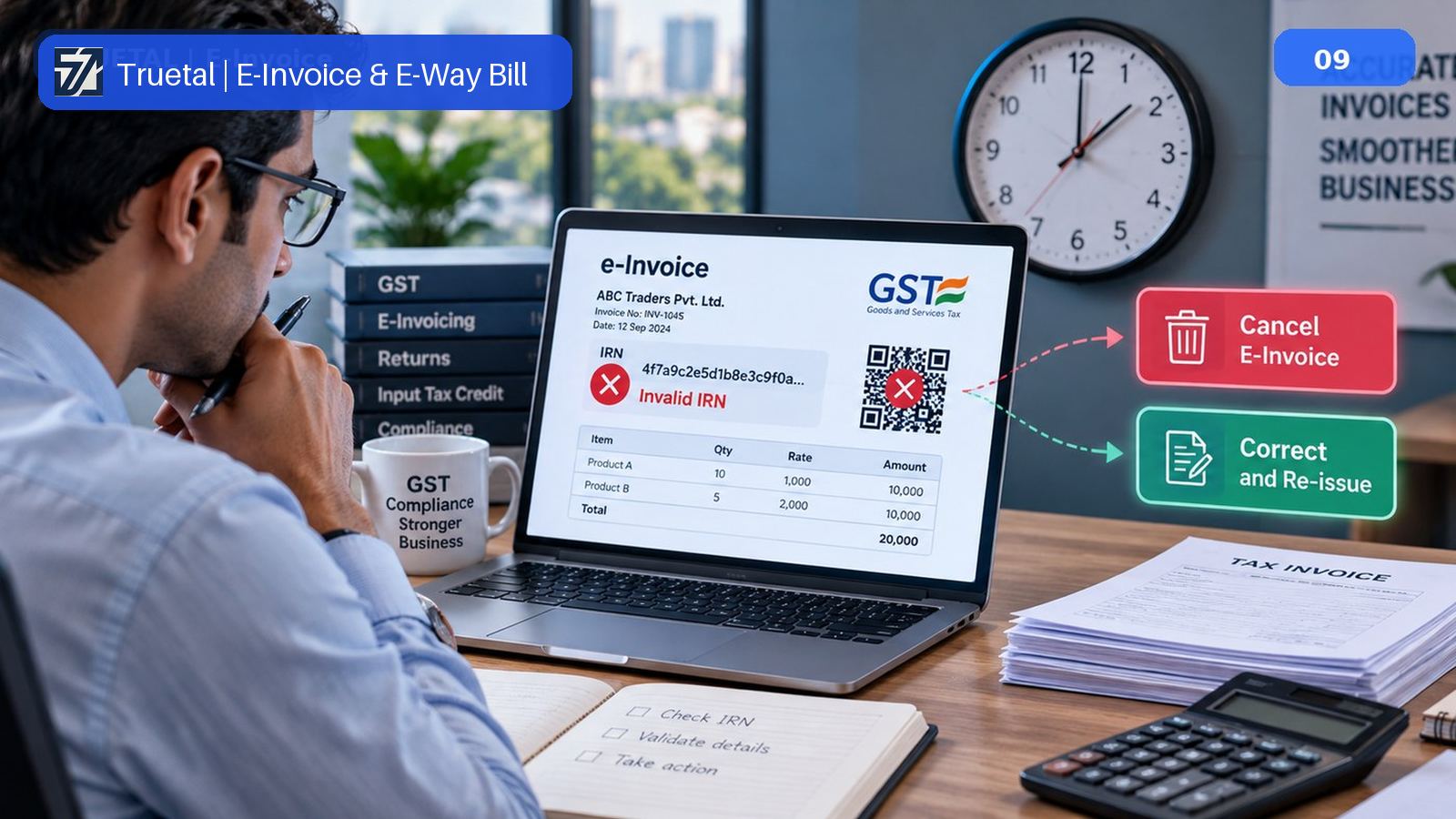
An IRN has been generated and then someone notices the quantity, GSTIN or other key detail is wrong. The first instinct is often to edit the invoice. That is exactly where the audit trail can get messy, because a registered e-invoice is not just an ordinary editable PDF.
The Short Answer
Invoice Reference Number (IRN) cancellation is time-limited and the e-invoice itself is not freely editable after registration. The correct next step depends on when the error is found, whether the underlying supply still exists, and how the transaction will be corrected in books / GST returns.
In Plain Words
Treat the original IRN as part of the permanent audit trail. What you do next depends on timing and the nature of the error. If cancellation is still permitted, follow that path; otherwise correct through the appropriate downstream document/return process rather than silently changing history.
What IRP registration locks
Once an invoice is registered and an IRN is issued, that document — with its exact values — is what has entered the compliance trail. It is not a draft you can quietly edit; any correction has to happen through a recognised mechanism, not a resubmission of "corrected" data under the same IRN.
If the error is found within the cancellation window
The IRP allows IRN cancellation within a limited window after generation. If you're still inside it, cancel the incorrect IRN, correct the underlying invoice data, and generate a fresh e-invoice with the right values. This is the cleanest path because it removes the wrong document from the trail entirely.
If the window is already closed
Once the cancellation window has passed, the e-invoice stands. You cannot cancel it retroactively. The correction now has to happen through:
- A credit note, if the original invoice overstated the taxable value or tax.
- A debit note, if it understated them.
- A GST return amendment, for corrections that don't map neatly to a credit/debit note.
Credit note / debit note vs return amendment — choose based on facts
The right instrument depends on what's actually wrong. A wrong quantity or rate that changes the tax amount is a natural credit/debit note case. A classification or reporting-period issue that doesn't change what was actually charged may need a return-level amendment instead. Match the correction tool to the actual nature of the error, not just habit.
E-way bill dependency and sequencing
If an e-way bill was generated against the original (wrong) invoice, check whether it also needs updating or a fresh generation once the correction is made — an e-way bill referencing a cancelled IRN needs to be handled as part of the same correction, not left dangling.
Audit trail: never silently overwrite the original transaction
Whichever path applies, the original IRN reference should remain traceable in your books. A correction should always be visible as a correction — linked back to what it's fixing — never presented as if the original document never existed.
Worked example
A wrong quantity is discovered on Day 0 (same day, cancellation window still open): cancel the IRN, correct the quantity, reissue. The same error discovered on Day 3 (window closed): the original e-invoice stands; issue a credit note for the quantity difference, referencing the original invoice number.
Illustrative example. Actual treatment may depend on the facts and rules applicable on the transaction date.
The Key Steps at a Glance
Read the four steps in order — each one depends on the one before it.
- 1What IRP registration locks
- 2If error is found within the cancellation window
- 3If the window is already closed
- 4Credit note / debit note vs return amendment – choose based on facts
What to do now
- Check your specific cancellation window status the moment you discover an error — don't assume it's still open.
- Build a habit of reviewing e-invoices for accuracy before the cancellation window closes, not after.
Common mistakes
- Trying to "edit" an e-invoice after the cancellation window has closed.
- Losing the original IRN reference when issuing a correcting credit note.
- Forgetting to reconcile an e-way bill that was generated against a now-cancelled or now-corrected invoice.
The Takeaway
The safest correction is the one that leaves the original IRN visible and creates a clear, legal correction trail beside it.
How Truetal Helps
Truetal flags the exact remaining time in an invoice's cancellation window right on the invoice record, so the decision between cancel-and-reissue and credit-note is never a guess.
Questions People Search For
- E invoice cancellation after 24 hours
- Wrong IRN what to do
- E invoice cancel time limit
e-Invoice IRP FAQ; CBIC GST invoice rules. Verify the exact current cancellation window and portal behaviour before relying on this for a live correction.