
The direct answer
A bank reconciliation statement, or BRS, is a dated bridge between the bank statement balance and the corresponding bank ledger balance. First review and record genuine bank-only items such as a confirmed direct receipt or bank charge. Then list timing differences such as deposits in transit and issued cheques that have not cleared.
Software can import supported statement files and suggest matches, but an equal amount is not accounting evidence by itself. The party, document, entity and treatment still need confirmation. A correct BRS explains every difference; it does not force every line into a category.
Reviewed on 20 October 2026. The examples are hypothetical workflow illustrations, not entity-specific accounting, tax or audit advice.
What a BRS actually proves
The bank and the books can recognise the same event at different times. The books may contain a supplier payment whose cheque has not cleared. The bank may contain a service charge or direct customer transfer that has not yet been reviewed in the ledger.
A useful BRS separates two groups:
- Book corrections or additions: statement items that require a supported accounting entry, such as a confirmed direct receipt, bank charge, interest line or valid debit.
- Timing differences: valid book entries not yet appearing in the statement, such as a deposit in transit or an issued cheque not yet presented.
Do not hide a book error in the timing list. If an amount was omitted, duplicated or posted to the wrong account, correct the books with evidence. The BRS then bridges the adjusted ledger balance to the statement balance.
Use an Excel-style four-sheet format
A controlled manual workbook can use these sheets:
| Sheet | Minimum fields |
| Statement | Original row, posting date, value date, narration, reference, debit and credit |
| Bank ledger | Entry date, voucher, party, document, debit, credit and source reference |
| Review queue | Proposed match, difference, status, evidence, reviewer, decision date and note |
| BRS summary | Starting balance, book adjustments, timing additions, timing deductions and proved closing balance |
Preserve the bank's original narration and dates. Add review columns beside the imported evidence; do not overwrite the source row. If a PDF was read using OCR, compare the extracted rows, opening balance and closing balance with the original before using it.
Follow the monthly workflow
1. Confirm the account and cutoff
Verify the entity, account holder, masked account number, currency and statement period. Each real bank account needs its own ledger and BRS.
2. Check completeness
Confirm the opening and closing balances and whether every page or exported row is present. Prevent duplicate imports without deleting genuine repeated references inside one statement.
3. Compare statement lines with books
Use amount, direction, date, party, narration and document reference together. A ₹1,18,000 credit is not automatically payment of the nearest ₹1,18,000 invoice.
4. Review bank-only items
A direct credit may be a customer receipt, owner contribution, loan, refund or transfer. A debit may be a supplier payment, fee, tax payment, withdrawal or own-account transfer. Record it only after its meaning is supported.
5. Allocate cash to documents
Link confirmed customer receipts to the selected invoices and supplier payments to existing bills. Keep partial allocations partial. Do not create another sale or purchase from a settlement entry already recorded elsewhere.
6. Separate non-cash residuals
If an invoice is ₹1,18,000 and the bank credit is ₹1,17,000, the ₹1,000 difference is not automatically a discount. It may be TDS, a dispute, deduction or short payment. Record a non-cash adjustment only when its basis and evidence are confirmed.
7. List timing differences
Identify deposits in transit, valid issued cheques not cleared and other genuine cutoff items. Carry them forward with their original date and investigate items that remain outstanding unusually long.
8. Prove and sign off
Show the bridge in one direction, test it in reverse and retain the statement, ledger extract, review notes and named reviewer with the period record.
Worked BRS bridge
The following amounts are hypothetical and assume a positive bank balance at 30 September 2026.
| Bridge from books to statement | Amount |
| Unadjusted balance as per bank ledger | ₹2,52,000 |
| Add: confirmed direct customer receipt appearing only in statement | ₹10,000 |
| Less: reviewed bank charge appearing only in statement | ₹590 |
| Adjusted bank-ledger balance | ₹2,61,410 |
| Add: issued supplier cheques recorded in books but not cleared | ₹40,000 |
| Less: deposit recorded in books but not credited by bank | ₹25,000 |
| Balance as per bank statement | ₹2,76,410 |
The reverse test is ₹2,76,410 less ₹40,000 plus ₹25,000, which returns ₹2,61,410. The direct receipt and bank charge changed the books after review. The uncleared cheques and deposit in transit did not create new entries; they remained timing items.
If your entity presents overdrafts or debit balances, define the sign convention explicitly before using “add” and “less”. Copying this direction without stating the starting balance is a common source of an apparently balanced but conceptually reversed BRS.
Review common statement lines
A bank direction and amount are evidence, not the final accounting meaning. Confirm the party, document and entity before posting or allocating.
| Statement line | Review-first route | Do not do |
|---|---|---|
| Customer credit | Confirm the party and allocate to the selected invoice or invoices. | Mark the nearest equal invoice paid from amount alone. |
| Supplier debit | Match to an approved bill or existing payment record. | Create another purchase or expense. |
| Bank charge | Record the supported charge; review any tax document separately. | Claim GST ITC from the statement debit alone. |
| Own-account transfer | Link both bank sides through a transfer or clearing route. | Record the debit as expense and the credit as income. |
| Unidentified receipt | Keep it visible in an exception queue until identified. | Treat every credit as sales. |
| Uncleared issued cheque | Keep it as a dated timing item after validating the book entry. | Post the payment a second time. |
| Deposit in transit | Keep it as a dated timing item and monitor clearance. | Delete a valid book entry because the bank has not shown it yet. |
Matching links a statement line to a likely event. Reconciliation is the wider control that explains the account position, including timing differences and unresolved items. A matched screen can still fail to reconcile if the opening balance, import or ledger is incomplete.
Reconcile payment-gateway payouts gross to net
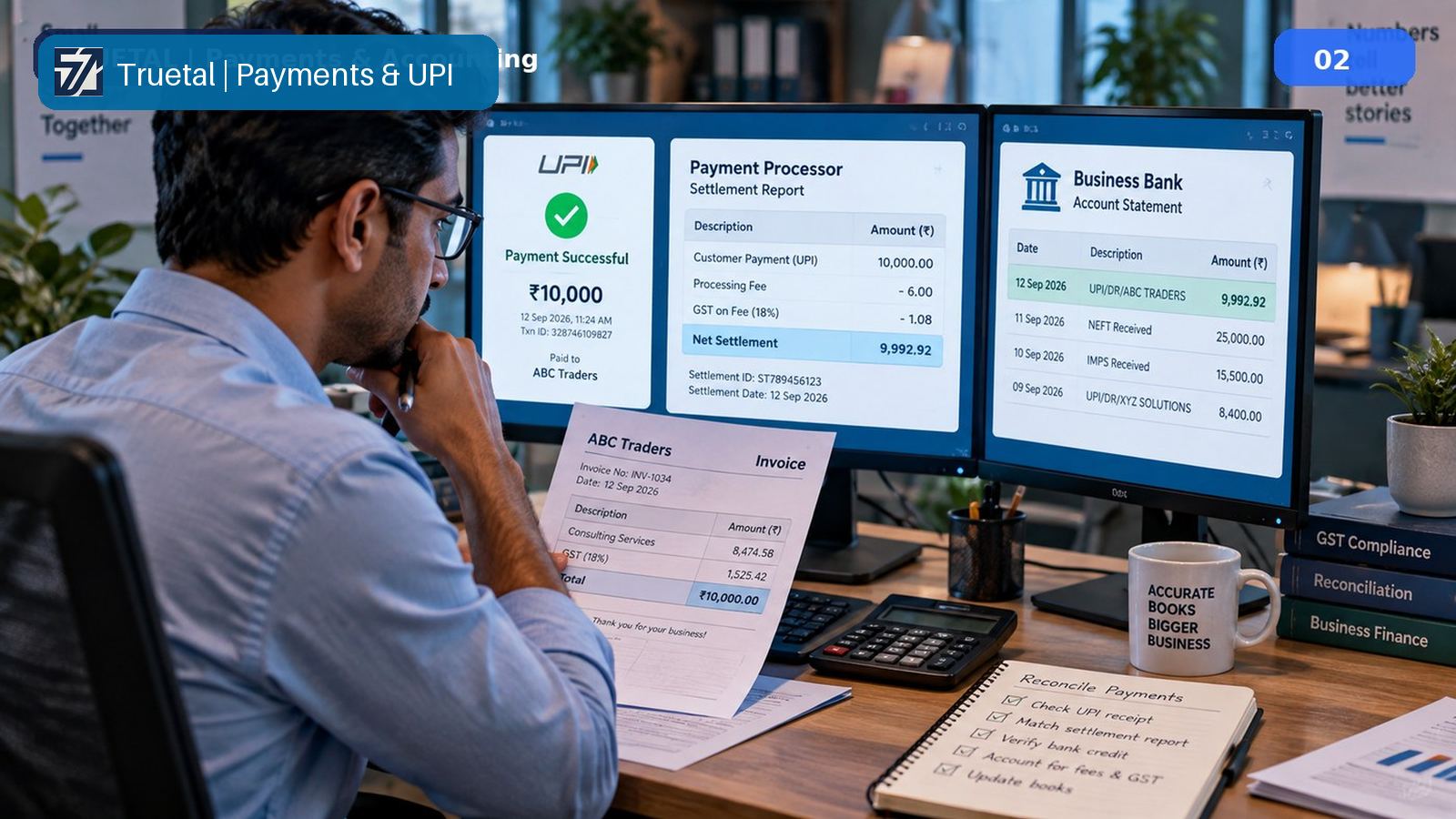
A gateway payout often combines many economic events into one bank credit. Assume this illustrative settlement:
| Settlement component | Amount |
| Gross customer collections | ₹1,18,000 |
| Less: customer refund | ₹5,900 |
| Less: gateway fee | ₹2,000 |
| Less: GST shown on the gateway fee document | ₹360 |
| Net payout credited to bank | ₹1,09,740 |
Match gross collections to the underlying invoices or orders. Review the refund against the correct customer transaction. Record the fee separately. Treat the ₹360 according to the provider's valid tax document, business use and applicable ITC conditions; the settlement report alone does not establish credit eligibility. Finally, match the ₹1,09,740 bank credit to the settlement.
Recording only ₹1,09,740 as sales understates gross collections and conceals the refund and service cost. A gateway clearing account keeps the gross-to-net bridge visible. The same principle applies to UPI and marketplace batches, but each provider's report fields and timing need their own review.
What software should and should not automate
Software may parse rows from supported files, preserve source data, rank possible matches, calculate residuals and assemble an exception list. A person should confirm account identity, completeness, actual party, document allocation, transfer relationship and final accounting or tax treatment.
A suggestion should remain visibly different from a posted entry. Learning from earlier choices can reduce repetitive review, but it should not rewrite bank evidence or silently post a treatment because the narration looked familiar.
Period-close checklist
- Verify the entity, account, period, opening balance and closing balance.
- Preserve the original statement and a controlled import record.
- Check every statement line against the ledger or review queue.
- Confirm parties and documents before allocating receipts or payments.
- Separate cash allocation from TDS, discounts and write-offs.
- Link own-account transfers without affecting income or expense.
- Record reviewed bank-only items in the books.
- List timing items with dates and carry-forward status.
- Investigate old outstanding items and unexplained differences.
- Retain the completed bridge, evidence and reviewer sign-off.
Common mistakes
- Treating statement import as permission to post every line.
- Calling every credit sales and every debit an expense.
- Marking an invoice paid from an amount-only match.
- Hiding a book error as an outstanding timing item.
- Recording a net gateway payout as gross revenue.
- Clearing residuals as discounts without evidence.
- Using one bank ledger for several real accounts.
- Deleting unresolved lines to make the dashboard appear complete.
How Truetal helps—and where it stops
Truetal can import supported bank-statement files into a review workbench, preserve statement evidence and suggest invoice, supplier, category or transfer matches. A user confirms the result before the canonical payment, expense or allocation is recorded. Partial payments remain partial and unresolved lines remain visible.
Truetal does not promise universal bank feeds, guaranteed parsing of every statement format, automatic gateway accounting or a fixed close-time reduction. AI-read rows must be checked against the original statement, and accounting or tax conclusions remain with the authorised reviewer.
Frequently asked questions
What is a bank reconciliation statement?
A bank reconciliation statement is a dated schedule that explains the difference between the bank-statement balance and the corresponding bank-ledger balance after reviewed book corrections and identified timing items.
Should a BRS start from the bank balance or the book balance?
Either direction can work if it is labelled and applied consistently. State the starting balance, show every addition and deduction, and prove the same adjusted position from the reverse direction.
How should an outstanding cheque be treated in a BRS?
If a valid payment is recorded in the books but has not cleared the bank by the cutoff date, list it as a timing difference. Do not post the expense or payment again merely to make the balances agree.
Can bank reconciliation software post exact matches automatically?
An exact amount is useful evidence, but it does not prove the party, document or accounting meaning. A safer workflow keeps the proposed match reviewable until an authorised person confirms it.
How should payment-gateway payouts be reconciled?
Use the gateway settlement report to bridge gross collections to the net bank payout through refunds, fees, tax shown on the fee document and other supported adjustments. Do not record only the net bank credit as sales.